

Search for products...

Invoices and Proforma Invoice (PI)
1.Invoice:
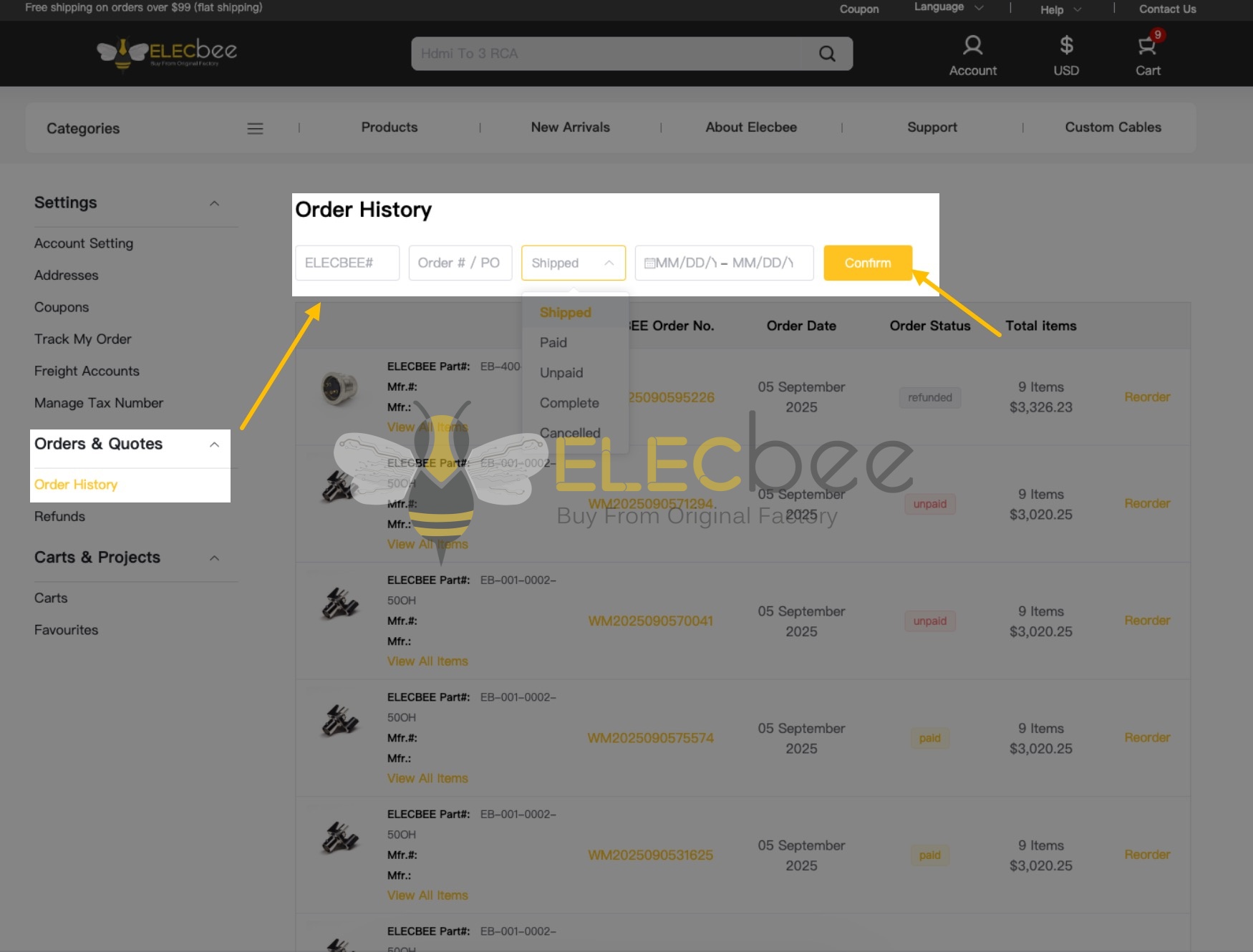
Step 1: Locate the relevant order in your order history by either visiting the Order History page or clicking "Order Status & History" when hovering over the Account icon.

Step 2: On the Order History page, locate the order for which you need an invoice by using one of the following methods:
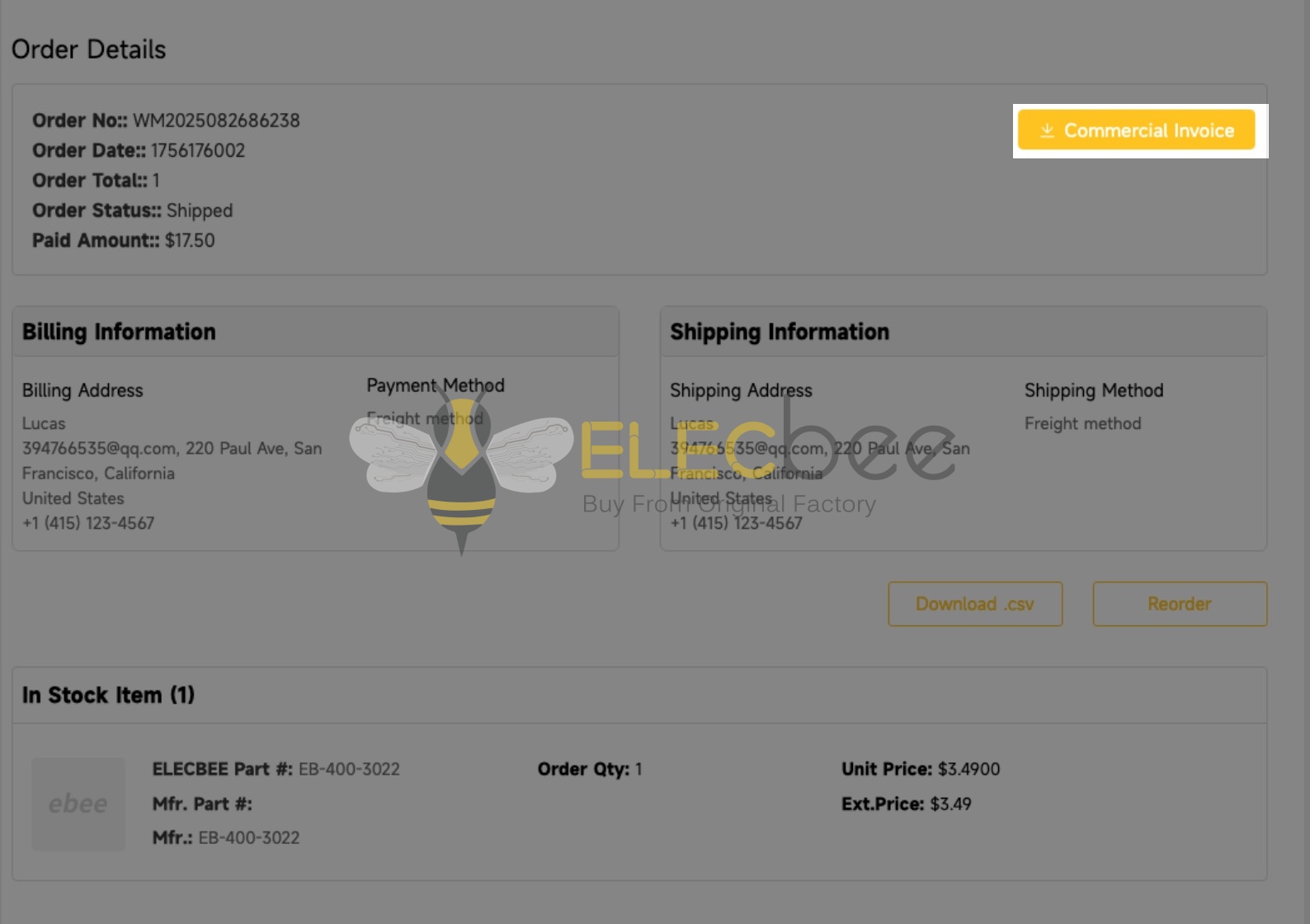
Step 3: Access the Order Details page and download the invoice by clicking the button in the top-right corner.
2.Proforma Invoice:
To obtain a Proforma Invoice (PI), please feel free to contact service01@elecbee.cn directly. Our representatives will assist in generating and sending the PI to you promptly.
Please note: invoices will only be available after shipment.
Elecbee supports over 150 global currencies, including major options such as USD, EUR, GBP, JPY, CAD, AUD, CHF, HKD, SGD, NZD, etc.
To select a preferred currency, click the currency icon in the top-right corner of the homepage.
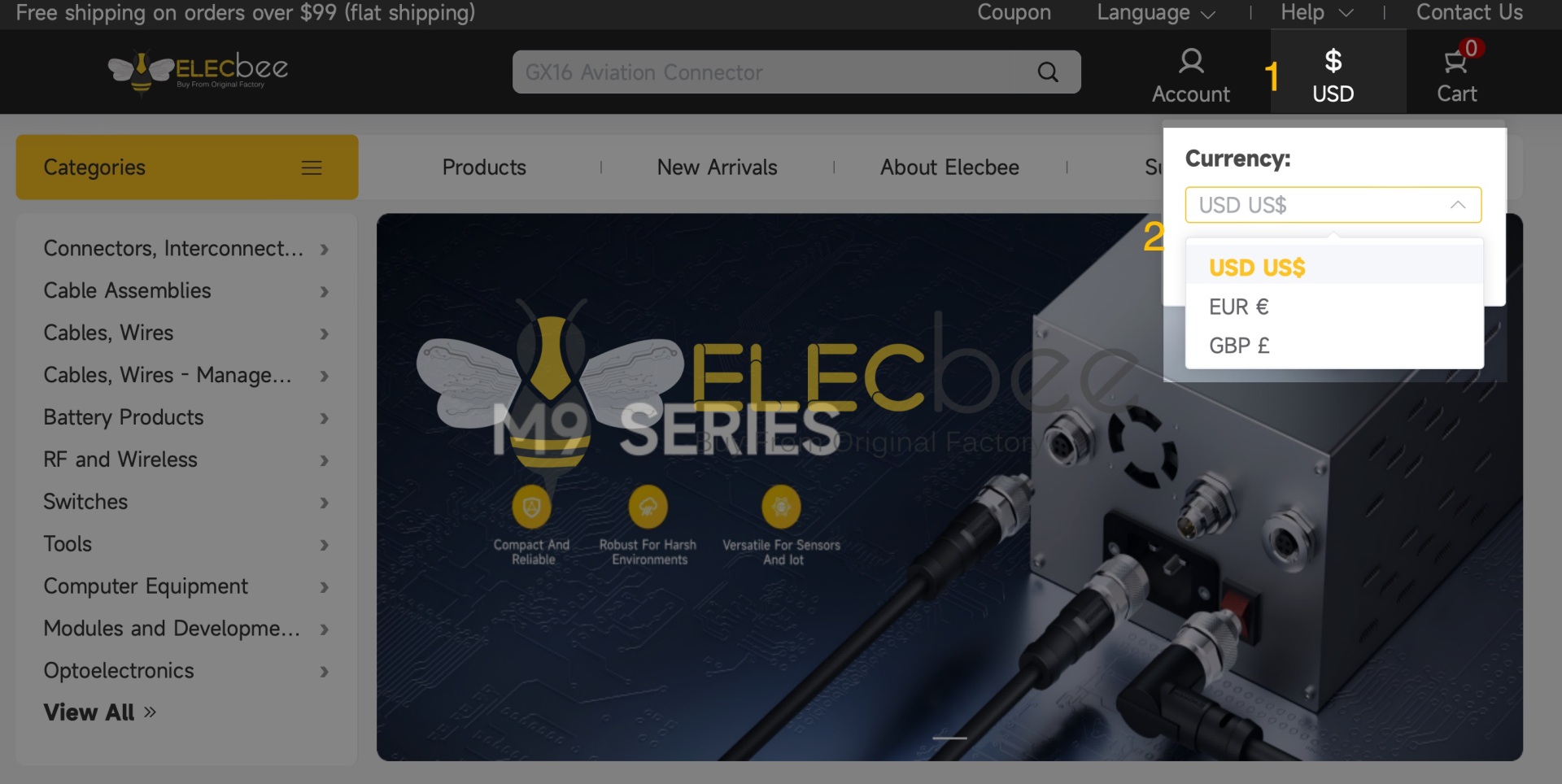
Important Notes: The currency cannot be modified after order submission. If you need to change the payment currency, please cancel the existing order and place a new one.

 0
